Note:
%>% to process elegantly GPR
data.RGPR# install "remotes" if not already done
if(!require("remotes")) install.packages("remotes")
remotes::install_github("emanuelhuber/RGPR")
library(RGPR) # load RGPR in the current R session
RPGR comes along with a GPR data called frenkeLine00. Because this
name is long, we set x equal to frenkeLine00:
x <- frenkeLine00
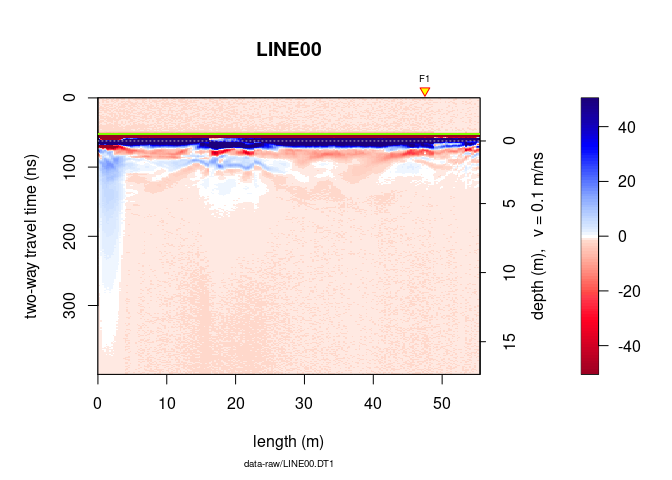
plot(x)
tfb <- firstBreak(x, w = 10, method = "coppens", thr = 0.05)
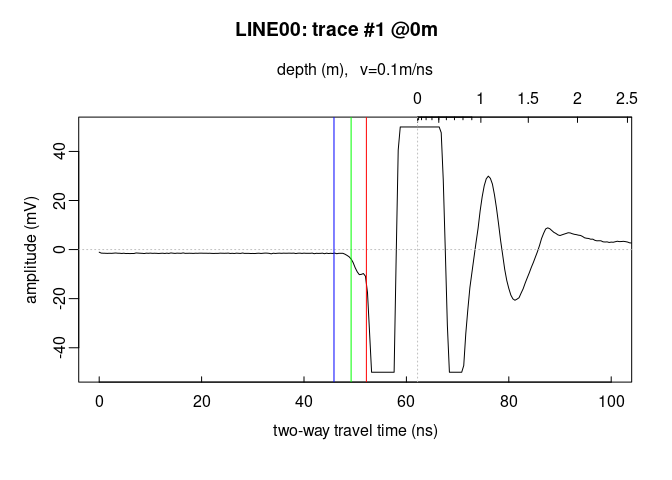
plot(x[,1], relTime0 = FALSE, xlim = c(0, 100))
t0 <- firstBreakToTime0(tfb[1], x[,1])
abline(v = c(tfb[1], t0[1]), col = c("green", "blue"))
Here a short excerpt that explains how to use pipe operators:
https://rstudio-pubs-static.s3.amazonaws.com/1368525_31210c1c422f4faa9c8df4364ea8543d.html
Note: In the following, we will only focus on the base R pipe
operator |>.
The operators pipe their left-hand side values forward into expressions that appear on the right-hand side, i.e. one can replace
f(x)withx |> f(), where|>is the pipe operator.
x |> f is equivalent to f(x)x |> f(y) is equivalent to f(x, y)x |> f |> g |> h is equivalent to h(g(f(x)))With pipe operators, the code is more compact and better readable.
|> pipe operatorWithout pipe operator, we would code something like that:
time0(x) <- t0
x1 <- dcshift(x)
x2 <- dewow(x1, type = "runmed", w = 50)
x3 <- time0Cor(x2)
x4 <- fFilter(x3, f = c(100, 280), type = "low", plotSpec = FALSE)
x5 <- gain(x4, type = "agc", w =  5)
The same code with the |> pipe operator.
xnew <- x |>
  setTime0(t0) |>
  dcshift() |>
  dewow(type = "runmed", w = 50) |>
  time0Cor() |>
  fFilter(f = c(100, 280), type = "low", plotSpec = FALSE)  |>
  gain(type = "agc", w =  5)
Note that we here the setTime0() instead of time0()<-. setTime0()
is nothing else than a wrapper for time0()<-:
setTime0 <- function(x, t0){
  time0(x) <- t0
}
Currently, the other replace methods of RGPR(function()<-) do not
have such a wrapper. Don’t hesitate to write you own wrapper.